PDF takeoff software that doesn’t fall over on a scan.
Most takeoff tools need a clean vector PDF from CAD. Drop in a phone photo or a 600-dpi scan and they choke. ZeroCount reads all three the same way.
Clean-up, auto count and auto linear, 42 seconds. Watch it with a scene-by-scene breakdown.
All read by the same engine.
01 / Vector PDF
Exported from CAD.
AutoCAD, Revit, Bluebeam — anything with searchable text and proper line geometry. The easy case. We handle it, but it doesn't impress anyone.
02 / Scanned PDF
Photocopies and archive prints.
The drawings you actually receive. Scanned at 200 dpi on a Friday afternoon. Marked up in red pen. We read them anyway.
03 / Photographed plan
Phone snap on a desk.
Plan rolled out, lighting from the office window, your hand visible at the edge. The model handles perspective and lighting.
Clear the clutter before you count.
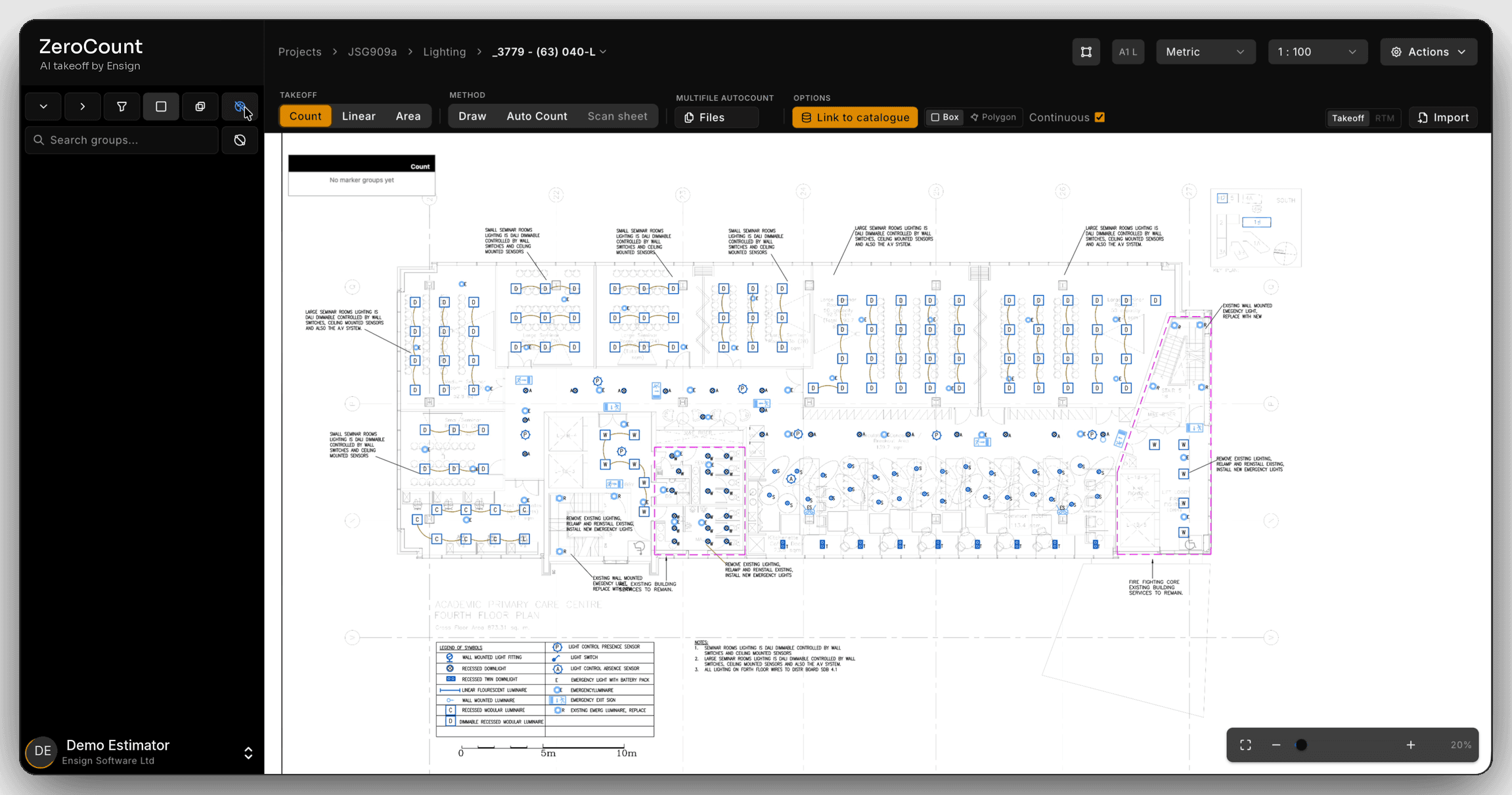
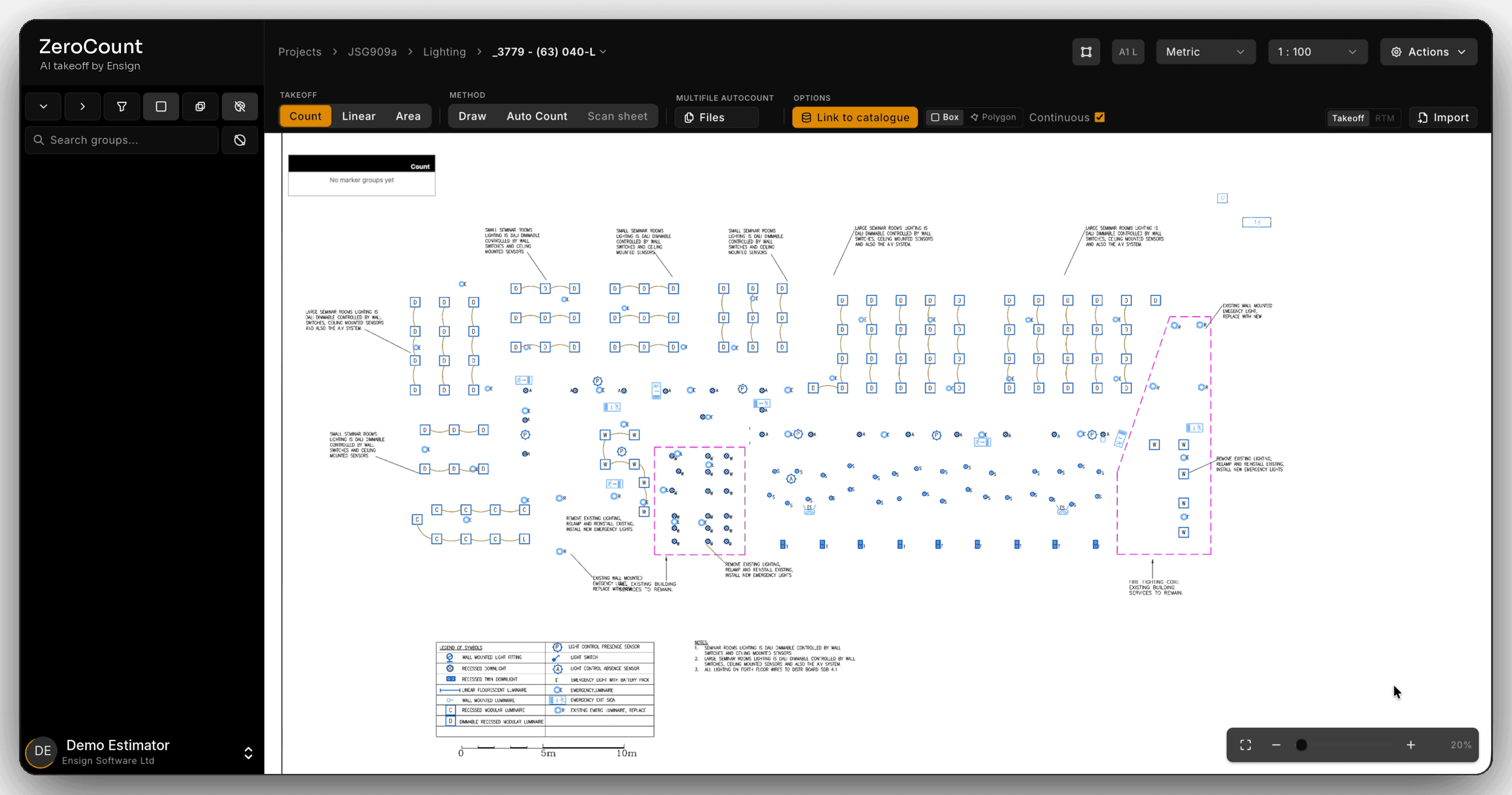
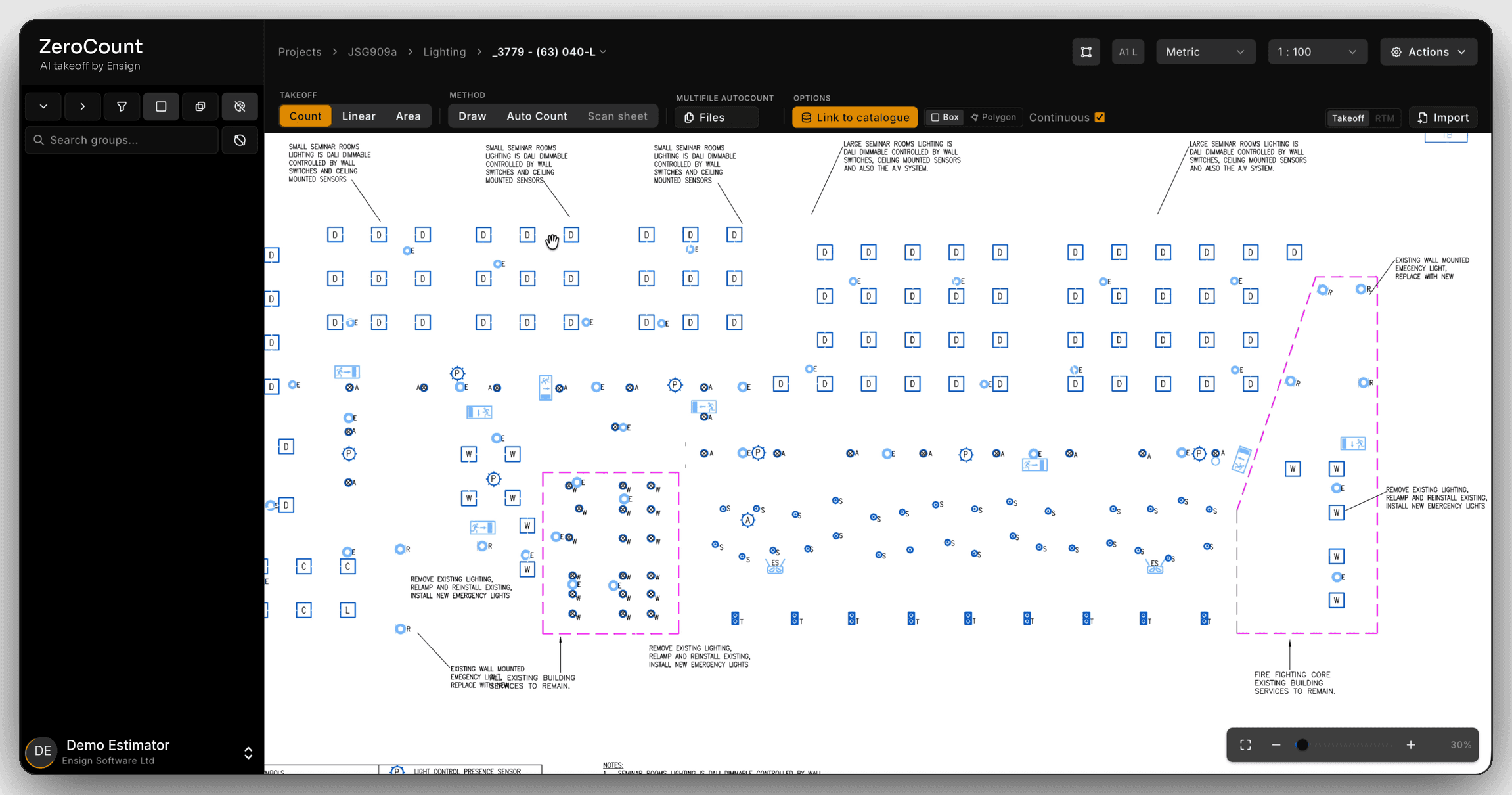
Background removal takes everything off the drawing that is not being counted, so the symbols stand on their own.
Strip the drawing back to what you are counting.
Background removal takes the walls and furniture off the drawing and keeps the symbols. Click one cable line and every cable line goes with it.
Why the same drawing is easy as one PDF and hard as another.
Two PDFs of the same sheet can look identical on screen and be completely different files underneath. That difference decides what takeoff software can do with them.
A vector PDF is the drawing itself. Exported straight from AutoCAD or Revit, it stores every line, arc and piece of text as an object with a position. Software can ask it questions directly: where is every instance of this block, how long is this polyline, what does this label say. Symbol matching and most automated counting depend on that.
A scanned PDF is a picture of the drawing. Once a sheet has been printed and scanned, the file holds pixels. There are no lines or text in it, only the appearance of them. A symbol that was one object is now a cluster of dark dots, slightly different every time it appears, often skewed a degree or two and speckled with photocopier noise. Anything that relied on reading the geometry has nothing to read.
A photograph is a picture taken at an angle. It adds perspective, so the sheet is wider at one end than the other, plus uneven light, shadow and whatever else was on the desk. It is the hardest input and often the fastest one to get hold of on site.
ZeroCount reads all three with one trained vision model. It reads the sheet the way an estimator looks at it, not by querying the file’s geometry, which is why a scan is not a special case for it.
How to tell what you have been sent.
Search for a word on the sheet. Pick a room name or a note you can see and use the viewer’s search. If it finds it, the text is real and the file is very likely vector. If it finds nothing, the text is part of an image.
Zoom right in on a line. At several hundred per cent, vector lines stay crisp. A scan’s lines go soft, then break into square blocks.
Look for the tell-tale marks. A slight tilt to the whole sheet, a grey background, a stamp, a hole-punch shadow or a pen mark are all signs of paper that went through a scanner.
A package can be a mix of both, and often is. The general arrangement arrives as a clean export and the revised riser sheet as a scan of a marked-up print. That mixed package is where tools that only automate vector files cost the most time, because they stop halfway through the set.
What a bad copy does to each trade’s count.
A scan does not lose information evenly. It loses the small details first, and in takeoff the small details are usually where the price differences are.
On electrical layouts there can be several hundred symbols to a sheet, and the difference between an emergency luminaire and a standard one is often a single stroke. That is the first thing a poor copy blurs. On ductwork and mechanical drawings the size labels carry the rate, and a label you cannot read is a length you cannot price. Insulation packages arrive furthest down the chain, so they tend to be the worst copies on the job.
That is why we ask you to bring the bad copy to the demo. A clean export proves nothing, because every tool does well on one.
Quick answers.
- What is PDF takeoff?
- PDF takeoff is measuring and counting quantities from construction drawings supplied as PDFs, on screen instead of on paper. Some PDF takeoff software leaves the counting to you, some automates it on clean vector files, and ZeroCount automates it on vector, scanned and photographed drawings alike.
- Can you do a takeoff from a scanned PDF?
- Yes. ZeroCount reads scanned PDFs, including photocopies and marked-up scans, with the same engine it uses for vector PDFs. Many tools can display a scan but can only automate counting on a vector file, so on a scan you are back to clicking every symbol by hand.
- What is the difference between a vector PDF and a scanned PDF?
- A vector PDF stores the drawing as lines, arcs and text that software can read directly, usually because it was exported straight from CAD. A scanned PDF is a picture of a paper sheet: to the software it is pixels, and the lines and text are only there for a human eye.
- How can I tell whether a drawing is vector or scanned?
- Try to search it for a word you can see on the sheet. If search finds it, the text is real and the file is probably vector. If it finds nothing, zoom right in: vector lines stay sharp at any zoom, and scanned lines break up into blocks.
- Does it work with photos of drawings?
- Yes. A phone photo of a plan on a desk, with perspective, shadow and the edge of a hand in shot, goes through the same engine as a PDF.
- Do I need to convert or clean up a scan before a takeoff?
- No. Send it as it arrived. If it is cluttered, background removal in ZeroCount takes the walls and furniture off and keeps the symbols, so there is nothing to prepare in another program first. Redrawing it or asking for the CAD file again is exactly the time this is meant to save. It costs the same £55 per licence per month whatever the file type.
Comparing tools on this point? Groundplan’s own help documentation says its automatic counting does not search scanned plans. The detail, with sources, is on ZeroCount vs Groundplan.
Bring your worst drawing.
You probably have one in your inbox right now that broke your last tool. A scan-of-a-scan with margin notes. A photo with the corner of the desk visible. We’d rather demo on that than on a clean reference drawing — the clean ones aren’t where the value is.
Send the drawing that broke your last tool.
A scanned PDF, a phone photo, a marked-up plan — the messier the better. We'll run it live on the call.